
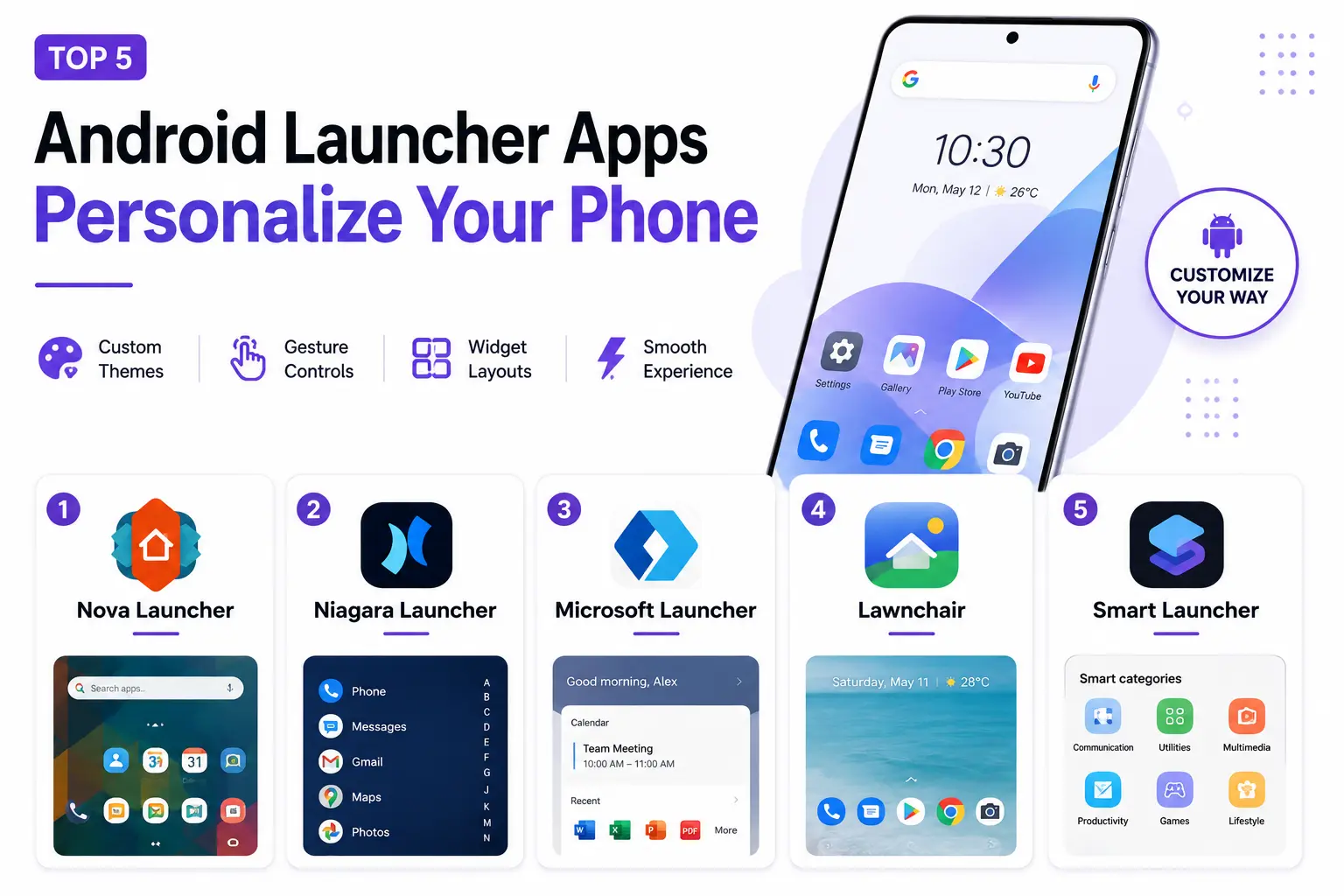
Android’s open ecosystem has always allowed genuinely deep home screen customization, but a third-party launcher app unlocks considerably more control than most stock launchers offer out of the box, from custom gesture controls to detailed icon theming and layout options. For anyone who’s felt limited by their phone manufacturer’s default launcher, switching to a dedicated launcher app is one of the more impactful changes available without touching any deeper system settings. Here are five Android launcher apps in 2026 worth trying to genuinely make a phone feel personal rather than generic.
1. Nova Launcher
Nova Launcher remains the gold standard for Android customization, with genuinely extensive control over gestures, icon grids, and app drawer behavior that has kept it a favorite among power users for years without serious competition.
2. Niagara Launcher

Niagara Launcher takes a genuinely different, minimalist approach, replacing a traditional grid with a clean, alphabetized list, appealing to users who want a calmer, less visually cluttered home screen experience.
3. Microsoft Launcher

Microsoft Launcher integrates genuinely well with Windows and Microsoft 365 accounts, syncing calendar and documents directly to the home screen for users already embedded in Microsoft’s broader productivity ecosystem.
4. Lawnchair
Lawnchair offers a genuinely polished, Pixel-style launcher experience with deep customization for users on non-Pixel devices who want that specific clean aesthetic and feature set without owning a Google-made phone.
5. Smart Launcher

Smart Launcher organizes apps into genuinely intelligent categories automatically, reducing the manual folder organization most launchers require while still offering solid customization for icons and layout underneath.
Getting Started Without Overwhelming Yourself
Third-party launchers offer genuinely overwhelming customization depth, and new users often make the mistake of trying to configure everything at once rather than starting with a few meaningful changes, an icon pack, a cleaner grid layout, and one useful gesture shortcut, before gradually exploring deeper settings over time. It’s worth backing up your current home screen layout or at least noting your most-used app positions before switching launchers entirely, since rebuilding a home screen from scratch after losing a familiar layout can be genuinely more disruptive than the customization benefits are worth in the first few days. Battery impact is worth checking too, some heavily animated or feature-dense launchers can noticeably affect battery life compared to a phone’s lighter default launcher, so it’s worth monitoring battery usage for the first week after switching.
A third-party launcher remains one of the most impactful, low-risk ways to make an Android phone feel genuinely personal rather than identical to everyone else’s default setup. Nova Launcher remains the safest, most broadly capable starting point for most users, while Niagara is worth trying specifically if a calmer, more minimalist home screen sounds more appealing than deep grid customization.