
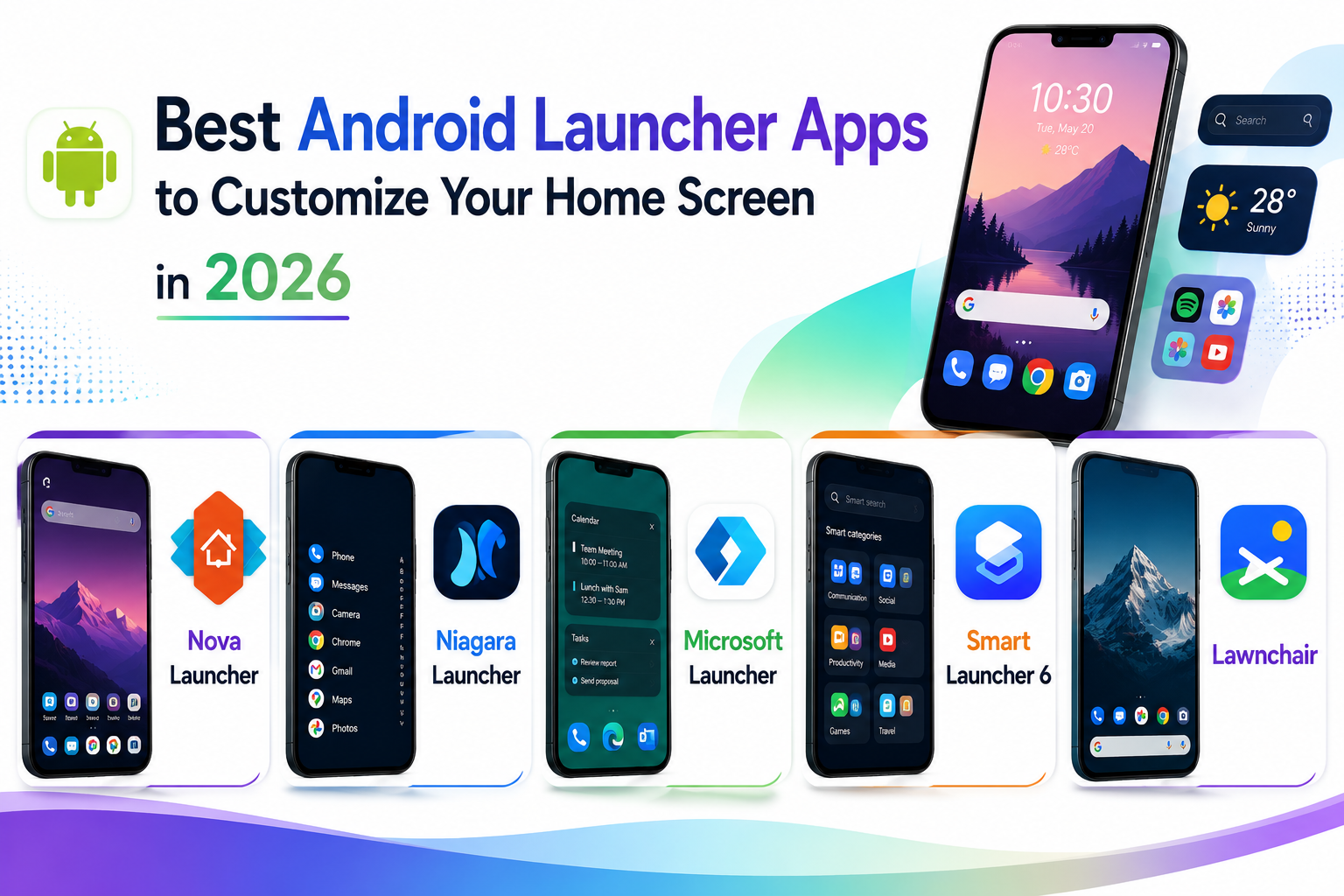
One of Android’s genuine long-standing advantages over the competition is the ability to completely replace the home screen experience with a third-party launcher, something that goes far beyond simply rearranging a few app icons. A good launcher app can change how apps are organized, how gestures work, and even how the entire interface visually feels, letting a phone feel meaningfully personal rather than identical to every other device running the same model. In 2026, launcher apps have also gotten smarter about reducing visual clutter, with several newer options actively working to declutter rather than just add more customization options for their own sake. Here are five Android launcher apps worth trying this year, depending on whether you want maximum control or genuine simplicity. Most can be uninstalled without any risk to the phone’s core system, making them a genuinely safe experiment for anyone curious but hesitant to commit.
Nova Launcher
Nova Launcher remains the long-standing gold standard for deep customization, offering granular control over grid layout, icon styling, and gesture shortcuts that power users have relied on for years to build a genuinely unique setup.
Niagara Launcher

Niagara Launcher takes the opposite approach, stripping the home screen down to a minimal, text-based app list that dramatically reduces visual clutter and, according to many users, genuinely cuts down on mindless phone checking.
Microsoft Launcher

Microsoft Launcher focuses on tight integration with Microsoft’s ecosystem, syncing to-do lists, calendar events, and documents directly onto the home screen for users already invested in Office and Windows on their desktop.
Smart Launcher 6

Smart Launcher 6 uses AI-based app categorization to automatically sort installed apps into relevant folders without manual organization, appealing to users who want cleaner organization without the effort of manually arranging everything themselves.
Lawnchair

Lawnchair offers a genuinely open-source alternative that closely mirrors Google’s own Pixel launcher aesthetic while adding deeper customization options underneath, appealing to users who like stock Android’s look but want more control over it.
The right launcher depends heavily on whether the actual goal is more control or genuinely less distraction, since those two goals pull in fairly opposite directions. Power users who enjoy tweaking every visual detail get the most value from Nova Launcher’s deep settings menu, while anyone specifically trying to reduce compulsive phone checking should give Niagara Launcher’s deliberately minimal approach a real two-week trial before dismissing it as too sparse. Users already living inside Microsoft’s productivity ecosystem get genuine daily convenience from Microsoft Launcher’s calendar and task integration that a purely aesthetic launcher wouldn’t replicate. Smart Launcher 6 suits people who want tidier organization without wanting to spend time manually building it, while Lawnchair appeals specifically to users who like Google’s clean stock aesthetic but still want more control available underneath it. Backing up a home screen layout before experimenting with a new launcher also avoids the minor hassle of manually rebuilding it if the switch doesn’t work out.
A launcher swap remains one of the most impactful free customizations available on Android, changing the daily feel of a phone more than almost any other single setting change. Try one for a genuine week before switching back, since the biggest wins from either deep customization or minimalist decluttering tend to show up only after the initial unfamiliarity wears off. Give any new setup at least a few days of real daily use before deciding it isn’t working for you.