
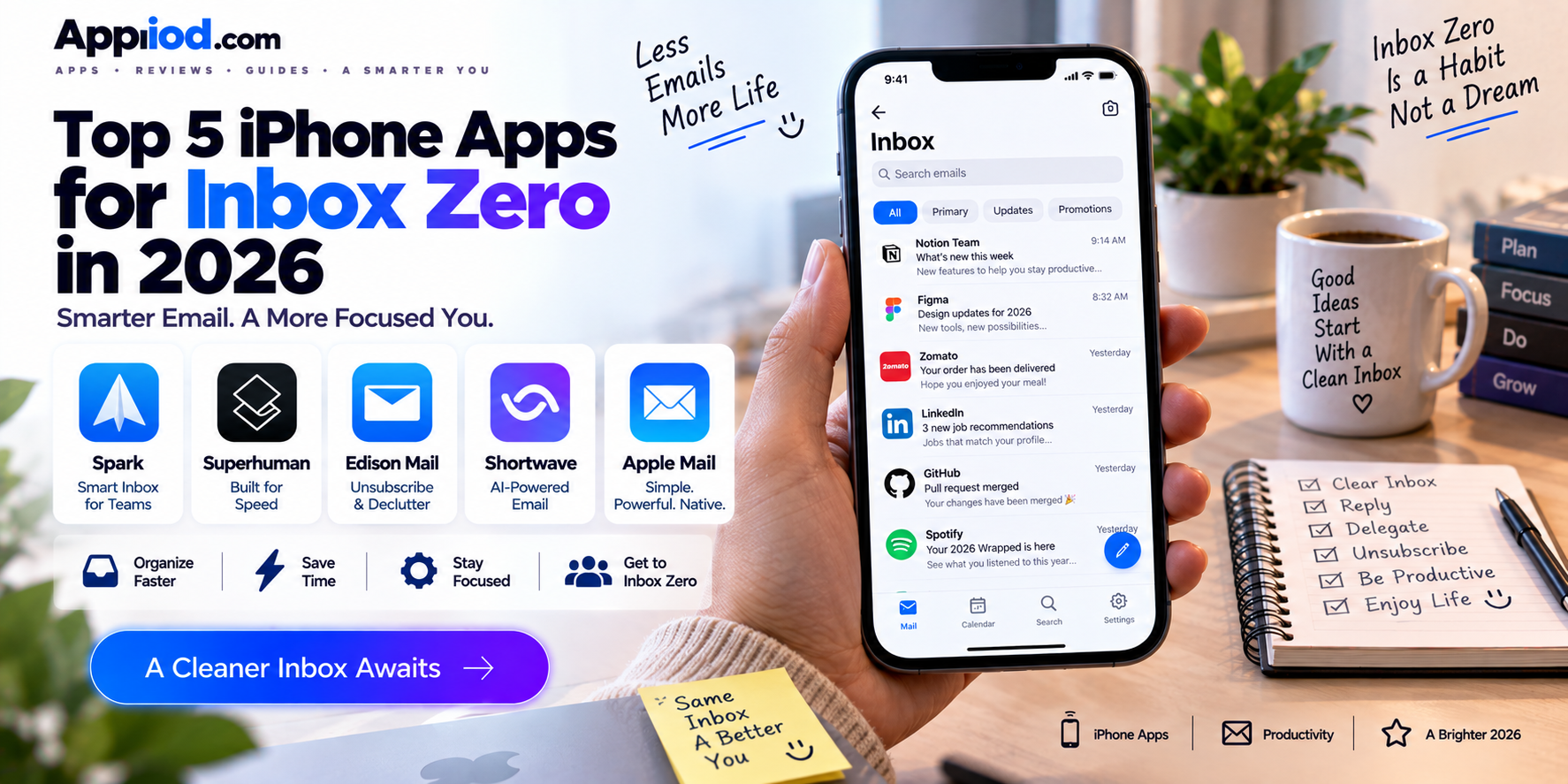
A chaotic inbox sitting at thousands of unread emails feels genuinely overwhelming, but the underlying problem is almost always a workflow issue rather than a volume issue, and a strong ecosystem of iPhone email apps has grown up specifically to fix that workflow rather than simply displaying the same cluttered list faster. The strongest apps in this category rethink how email actually gets triaged, using swipe gestures, smart categorization, and in some cases genuine AI-driven prioritization to turn an unmanageable inbox into something that actually reaches zero on a regular basis. Here’s a look at what’s worth using this year.
Spark

Spark remains one of the most polished third-party email clients available, using AI-powered smart inbox categorization that automatically separates personal messages, newsletters, and notifications into distinct sections rather than dumping everything into a single undifferentiated list. Its team collaboration features let colleagues comment on and delegate specific emails directly within the app, which matters for anyone managing shared inboxes alongside personal email. Its clean swipe gestures for archiving, snoozing, and pinning make rapid triage genuinely fast, letting a large backlog get processed in a fraction of the time a stock mail app would take.
View on Play Store | View on App Store
Superhuman
Superhuman built its reputation on raw speed, using keyboard shortcuts and an aggressively minimal interface to let power users triage an inbox at a pace that a mouse-and-menu-driven app simply can’t match, with its AI-powered triage automatically surfacing the emails that genuinely need attention first. Its Split Inbox feature separates important messages from everything else automatically, and its read-receipt and follow-up reminder tools help ensure nothing important quietly falls through the cracks after being sent. Its premium subscription pricing reflects its positioning specifically toward professionals who process a genuinely high volume of email daily and are willing to pay for measurable time savings.
Edison Mail
Edison Mail focuses specifically on eliminating unwanted subscription clutter, with a dedicated inbox for automatically detected newsletters and promotional emails that can be unsubscribed from in bulk with a single tap, addressing one of the single biggest contributors to inbox overwhelm. Its unified inbox pulls together multiple email accounts into a single triage view, and its built-in package tracking automatically surfaces shipping notifications in a dedicated view rather than letting them get buried among everything else. For anyone whose inbox clutter problem is largely driven by unwanted newsletters and promotions rather than genuine correspondence, its unsubscribe-focused approach directly addresses the actual source of the mess.
View on Play Store | View on App Store
Shortwave
Shortwave, built by former Gmail engineers, brings genuinely modern AI features to email management, including an AI-generated summary of long email threads that lets users grasp a lengthy conversation’s key points without reading every single message in the chain. Its bundling feature groups related emails together automatically, and its AI-powered smart search understands natural-language queries rather than requiring exact keyword matches, making it genuinely faster to locate a specific older email buried deep in an archive. For Gmail users specifically who want a considerably more AI-forward triage experience than Gmail’s own native app provides, it remains one of the more technically ambitious options available.
Apple Mail
Apple Mail’s native iOS app has grown genuinely more capable over recent versions, adding smart categorization tabs that automatically separate primary messages from transactions, updates, and promotions, mirroring functionality that used to require a third-party app entirely. Its deep, reliable system integration means notifications, widgets, and Siri shortcuts all work seamlessly without any additional setup, and it requires zero subscription cost since it’s already built into every iPhone. For users whose email triage needs are fairly moderate and who want to avoid managing yet another subscription, its considerably improved native categorization now covers a genuinely large share of what third-party apps used to be necessary for.
Choosing between these five comes down mostly to how much AI-driven automation and speed a specific email workflow actually needs. Professionals processing a genuinely high daily email volume who want the fastest possible triage should invest in Superhuman’s keyboard-driven speed, while Gmail users who want an AI-forward experience should look to Shortwave’s thread summarization and smart search. Anyone whose inbox clutter comes mainly from unwanted newsletters should prioritize Edison Mail’s bulk-unsubscribe tools, users managing shared team inboxes alongside personal email will get the most value from Spark’s collaboration features, and anyone with fairly moderate email needs who wants to avoid an additional subscription should simply lean on Apple Mail’s now considerably more capable native categorization.
Conclusion
Achieving a genuine inbox zero has become considerably more realistic than it once was, since 2026’s strongest email apps address the actual workflow problems, slow triage, unwanted clutter, buried important messages, rather than simply displaying the same overwhelming list in a slightly prettier format. Whichever of these five ends up fitting a specific email habit, the underlying payoff remains the same: an inbox that feels genuinely manageable again, rather than a source of quiet, ongoing dread.